

How it works
You connect a client in two parts:- The MCP endpoint is your MentionScout URL with
/mcpon the end (for examplehttps://your-mentionscout-domain/mcp). The transport is HTTP. - A token authenticates the client as you. You pass it as a bearer token in the
Authorizationheader.
Create a token
Name the client
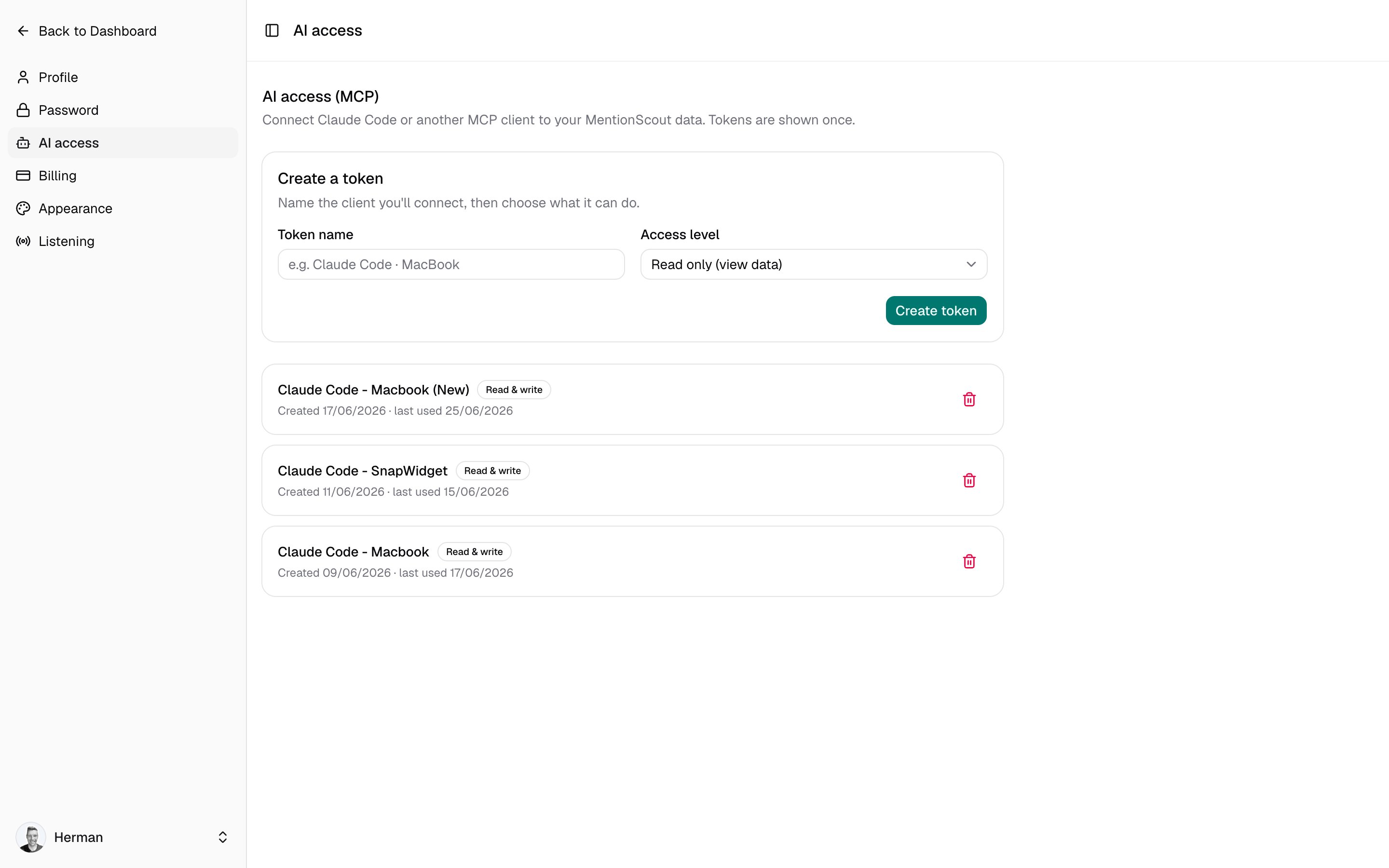
Under Create a token, enter a Token name that identifies where it will live, for example
Claude Code · MacBook. The name is just a label, so you can recognise and revoke the right token later.Access levels
- Read only
- Read & write
Read only (view data) lets the client read your data: prompts, runs, mentions, citations, answer gaps, community sources and social mentions, crawler analytics, and your brand profile. It cannot change anything. Use this for monitoring, reporting, and analysis.Write access only covers prompt creation and edits. It does not delete data or change billing or account settings.
Connect a client
Claude Code
The fastest path is the command shown on the AI access page after you create a token. It looks like this:mentionscout, and the MentionScout tools become available in your next session.
Other MCP clients
Any client that supports the streamable HTTP transport can connect with the same endpoint and header. Add an entry like this to your client’s MCP server configuration:list-websites first to discover your website IDs; every tool then accepts an optional website_id and defaults to your selected website when you omit it.
Manage tokens
The AI access page lists every token you have created. Each row shows the token name, a badge for its access level (Read only or Read & write), when it was created, and when it was last used. To remove access, click the trash icon next to a token and confirm. Revocation is immediate: any client using that token loses access right away. Create a new token to reconnect.Connecting more clients does not affect your data. Each token is independent, so you can keep one per machine or tool and revoke them individually.
Next steps
MCP tools
See every tool the server exposes, what each returns, and how to use them for daily monitoring.
Account settings
Manage your profile and the rest of your account settings.