

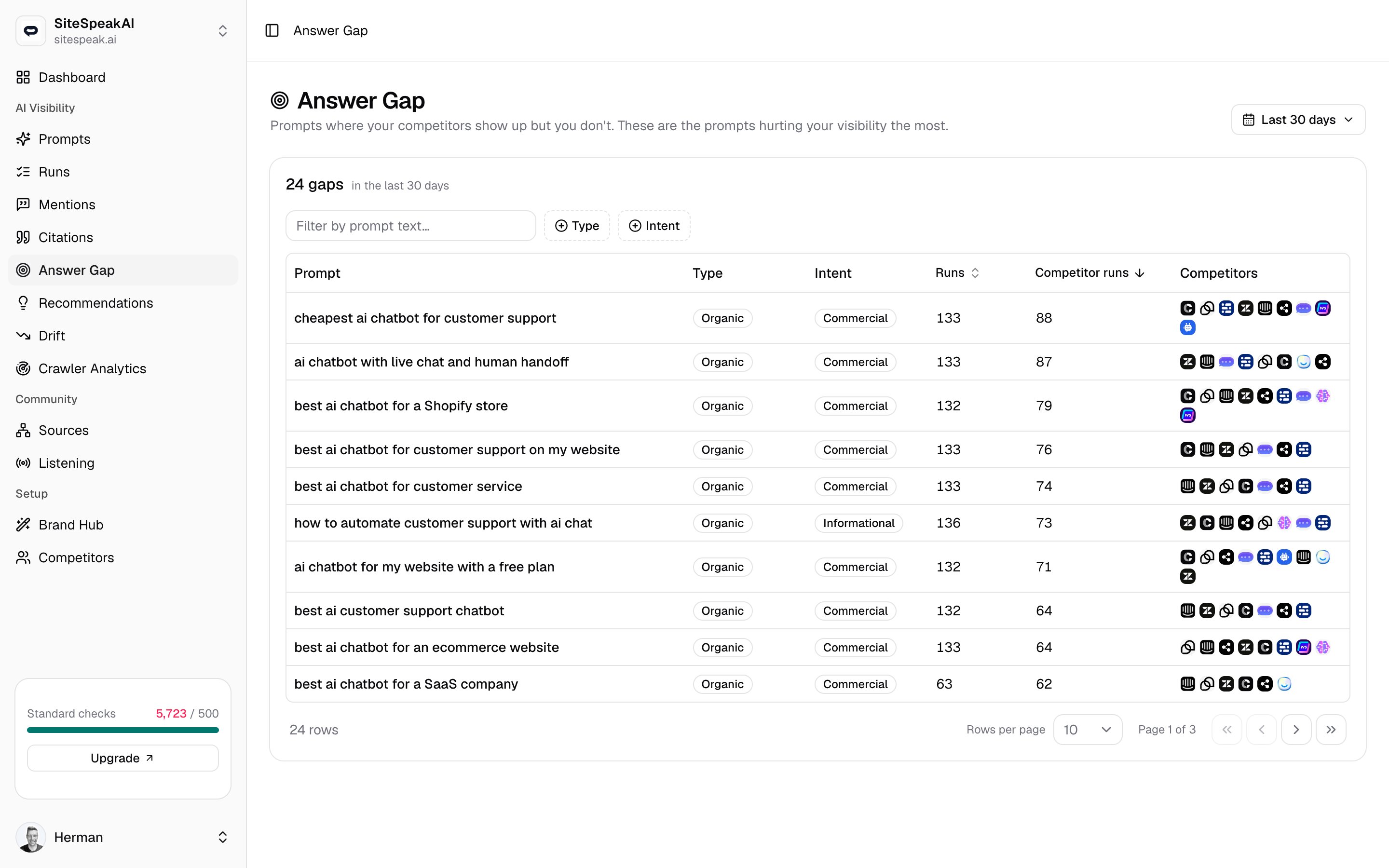
What counts as a gap
A prompt shows up here only when all three of these are true for the selected time range:- It has at least one completed run.
- Your brand was not named in any of those runs.
- At least one of those runs named a competitor.
Only prompts that count toward your visibility stats are scanned. Prompts you have excluded from stats never appear here.
How the list is ranked
Gaps are ordered by how many runs named a competitor while you were missing. The prompt where competitors showed up in the most runs sits at the top, because that is the answer you are losing most consistently. Work the list from the top down.What each row shows
The prompt
The prompt
The prompt text, shown as a link. Click it to open that prompt and review its runs, mentions, and answers in full.
Type and intent
Type and intent
Two badges carry over from the Prompts page. The first is the prompt’s type (for example
Organic or Competitor comparison); the second is its intent (for example Informational, Commercial, or Comparison). Together they tell you what kind of question is exposing the gap.Runs and competitor runs
Runs and competitor runs
Two separate columns of counts. Runs is the total number of completed runs for this prompt in range. Competitor runs is how many of those runs named at least one rival. The closer the two numbers, the more reliably the answer goes to a competitor.
Which competitors
Which competitors
A logo for each competitor that was named, ordered by how many runs mentioned it, most-mentioned first. Hover a logo to see the competitor’s name and the exact number of runs that named it.
Change the time range
Use the Last 30 days dropdown in the top right to switch the window.
A shorter window shows where you are losing right now. A longer window smooths out one-off runs and surfaces gaps that keep recurring.
Turn a gap into action
Each gap points at a specific question your competitors are answering in AI results and you are not. Use the row to decide what to do.Read the competitor answers
Click the prompt to open it, then read the runs where a rival was named. See how the answer frames them and what it credits them for.
Related
Prompts
The questions MentionScout runs against AI answer engines on your behalf.
Competitors
Manage the rivals MentionScout watches for in answers. Your competitor list defines what counts as a gap.
Mentions
See every time you or a competitor was named, with the surrounding answer text.
Runs
Open the full answers behind any prompt to see exactly how rivals were framed.