

What you set up
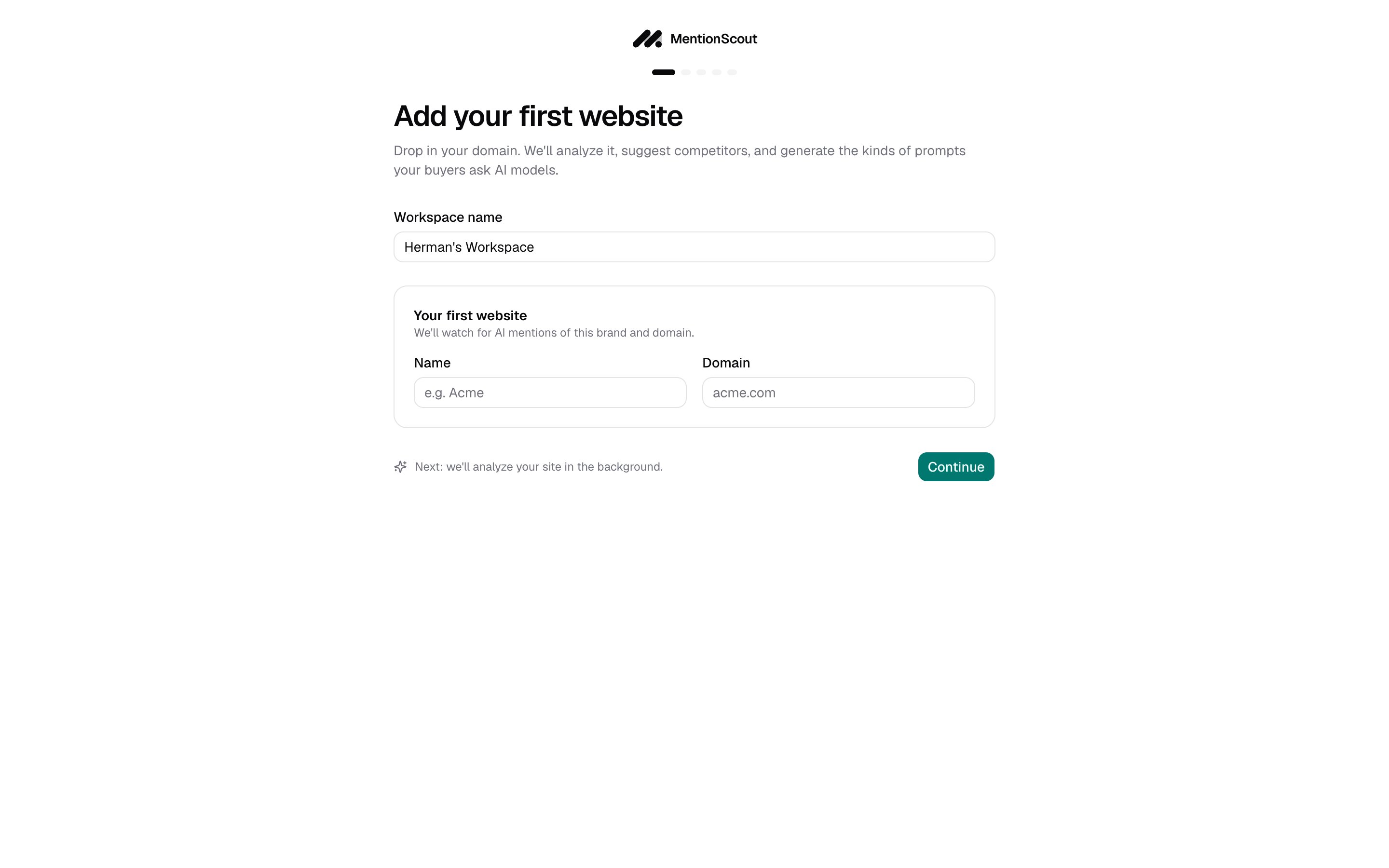
Onboarding runs in five steps, shown as a progress bar at the top of each screen. You set up four things:Your first website
The brand and domain MentionScout watches for in AI answers.
Brand details
Names, description, and an ideal-customer persona that sharpen later suggestions.
Competitors
The rivals you want to compare against in AI recommendations.
Prompts
The questions your buyers ask AI models, which MentionScout runs on a schedule.
Add your first website
Name your workspace
The Workspace name field is pre-filled for you. Keep it or change it. A workspace holds your websites, prompts, and results.
Add the website
Under Your first website, fill in Name (for example
Acme) and Domain (for example acme.com). This is the brand and domain MentionScout watches for in AI answers.You only add one website here. You can add more later from Setup.
Let MentionScout analyze the site
After you click Continue, an Analyzing your website dialog appears while MentionScout reads your homepage and drafts a brand profile. This usually finishes in 30 to 60 seconds, and the page advances on its own when each stage completes.Confirm your brand details
When the analysis finishes, the Brand form opens, pre-filled with what MentionScout found. Review and adjust:- Brand name and Brand aliases, the alternative names or spellings that should also count as a mention.
- Short description, Industry, Tone of voice, and a longer Description used to generate competitor and prompt suggestions.
- Key features, at least three specific things your product or service does.
- A Persona describing your ideal customer (name, description, age range, and education level), which sharpens the prompt suggestions.
You can revisit every one of these fields later from the Brand Hub.
Review competitors
The Competitors step lists the rivals MentionScout suggested. Each row has a competitor name and an optional domain.- Edit, remove, or add rows. Click Add competitor for each new one.
- For best results, list at least five competitors.
Confirm your prompts
The Prompts to monitor step lists the questions your customers ask AI models. List at least three. For each prompt you can set two tags:- Type:
Organic,Competitor comparison, orBrand specific. - Intent:
Informational,Commercial,Branded,Comparison,Transactional, orLocal.
What happens next
Finishing setup takes you to the Dashboard. Your prompts are scheduled to run daily, and as those runs complete, results fill in across the AI Visibility section of the sidebar:- Runs records each time a prompt is sent to the AI models.
- Mentions shows where your brand was named in those answers.
- Citations shows which pages the models linked to.
Core concepts
The mental model behind prompts, runs, mentions, and citations.
Brand Hub
Refine the brand profile that powers your suggestions.
Prompts
Manage the questions MentionScout runs against the AI models.
Runs
See each prompt run and the answers it returned.